 Image 1 of 3
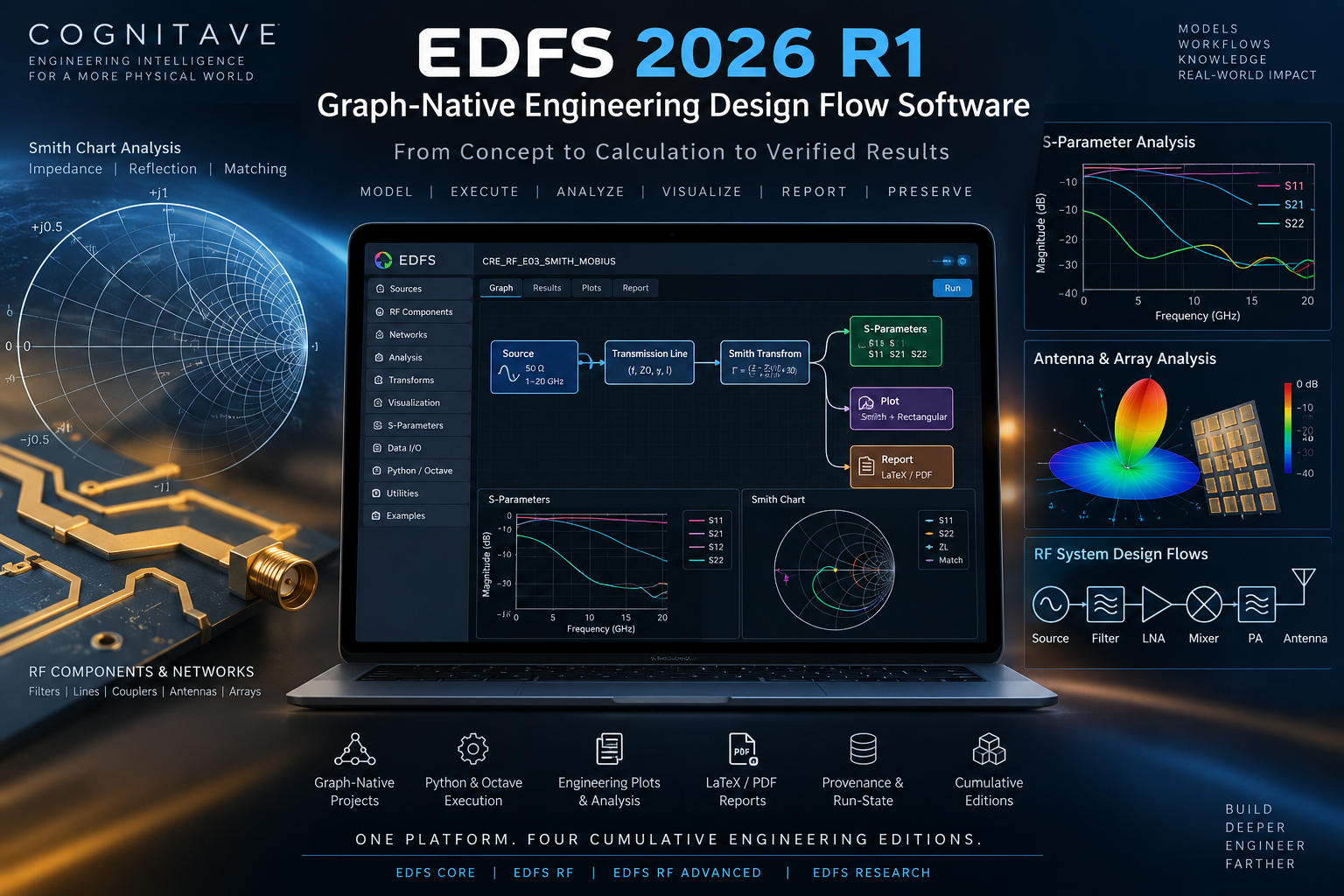 Image 2 of 3
 Image 3 of 3
Professional Single-User License
Price: $495
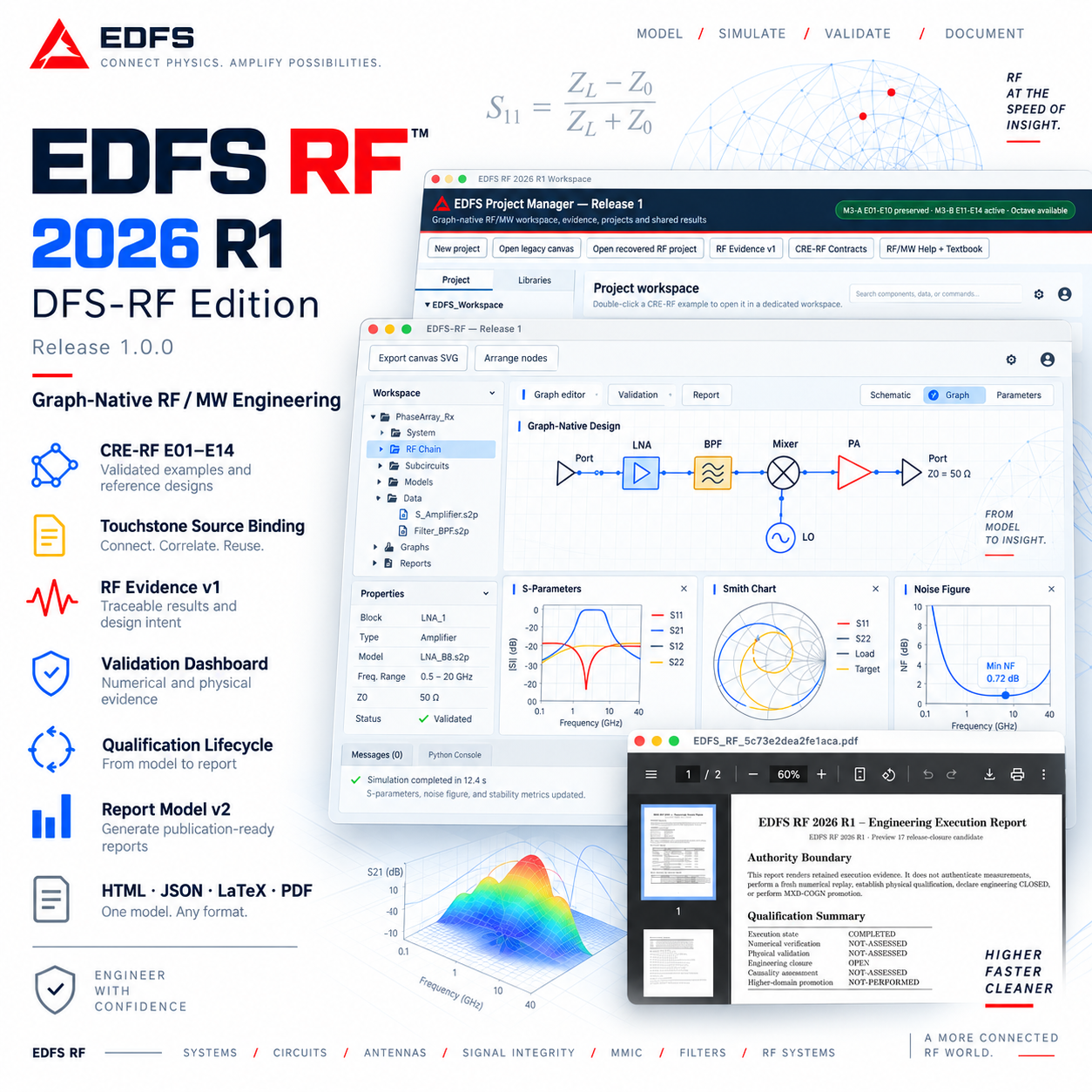
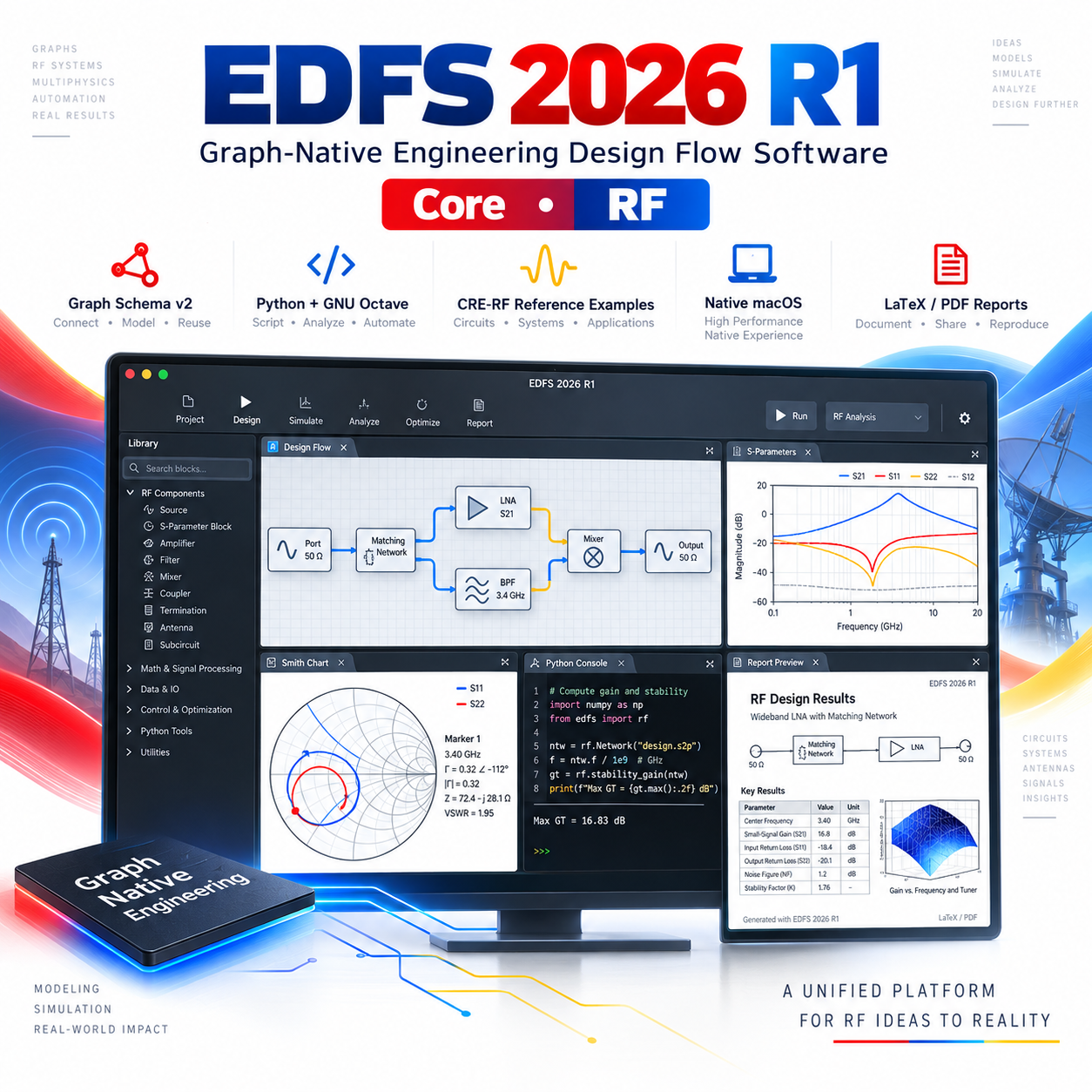
EDFS Core 2026 R1 is the foundational edition of Electronics Design Flow Studio: a graph-native engineering environment for constructing, executing, validating, preserving, and reporting computational engineering workflows.
Core establishes the common project, graph, numerical-execution, provenance, results, validation, and reporting architecture used throughout the EDFS product family:
EDFS Core → EDFS RF → EDFS RF Advanced → EDFS Research
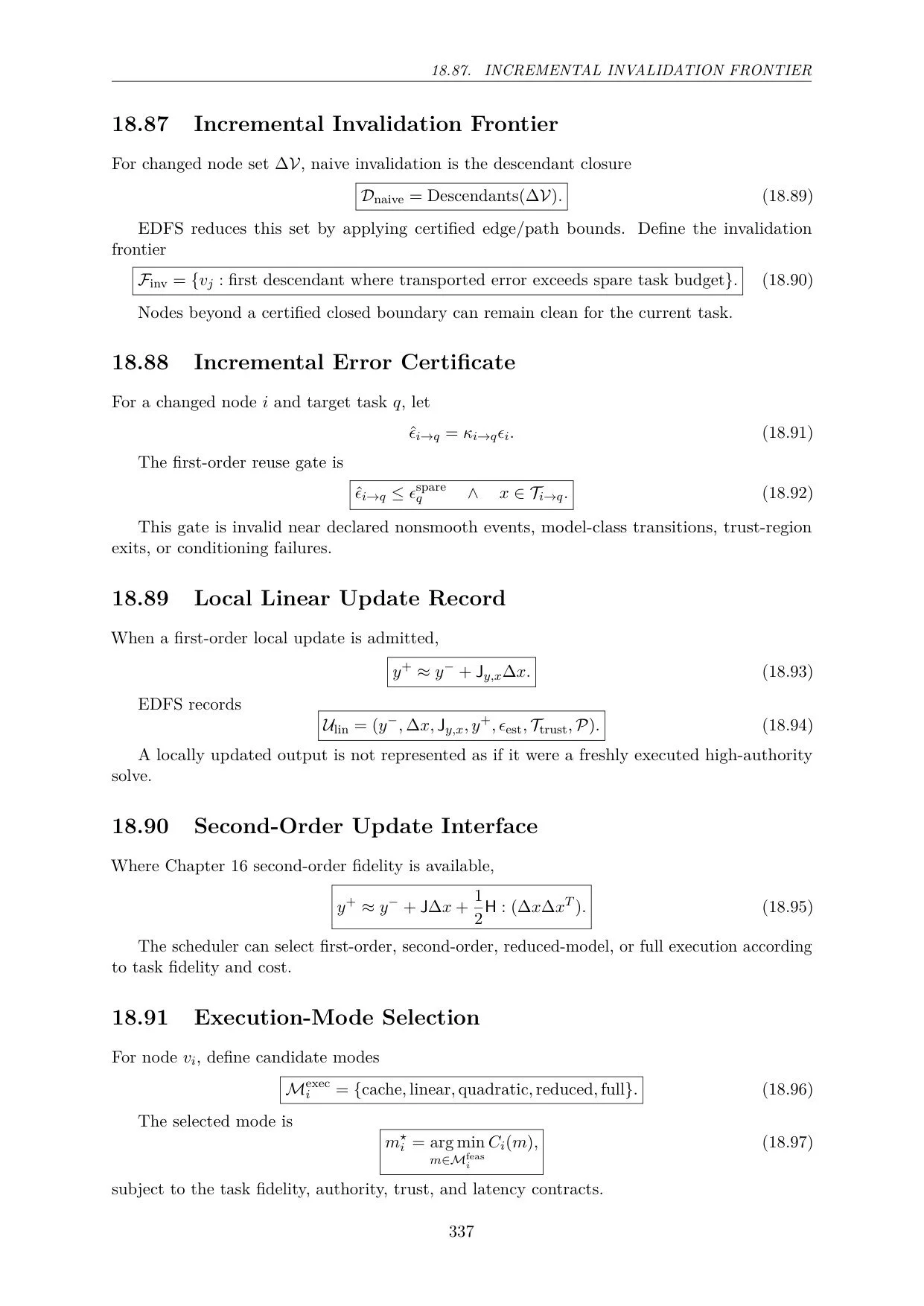
Rather than treating engineering work as a collection of disconnected scripts, files, calculations, and presentation diagrams, EDFS organizes computational engineering as a persistent executable graph.
Models, parameters, numerical kernels, transformations, results, validation state, provenance, and reports remain connected within one project environment.
EDFS Core establishes the shared execution foundation for the entire EDFS platform.
The 2026 R1 release includes:
graph-native engineering projects
Graph Schema v2
graph editor and project environment
typed engineering nodes
typed ports and fibers
engineering transformations
registered numerical kernels
Python / NumPy execution
GNU Octave integration
deterministic run records
engineering result contracts
provenance tracking
authority tracking
numerical validation infrastructure
project replay
structured engineering results
engineering plots
Smith-domain visualization support
LaTeX technical reporting
PDF report generation
native macOS desktop application
reference engineering examples
Traditional computational workflows often distribute engineering state across:
source files
scripts
solver inputs
numerical outputs
plots
reports
manually maintained notes
EDFS Core introduces a different organizational model.
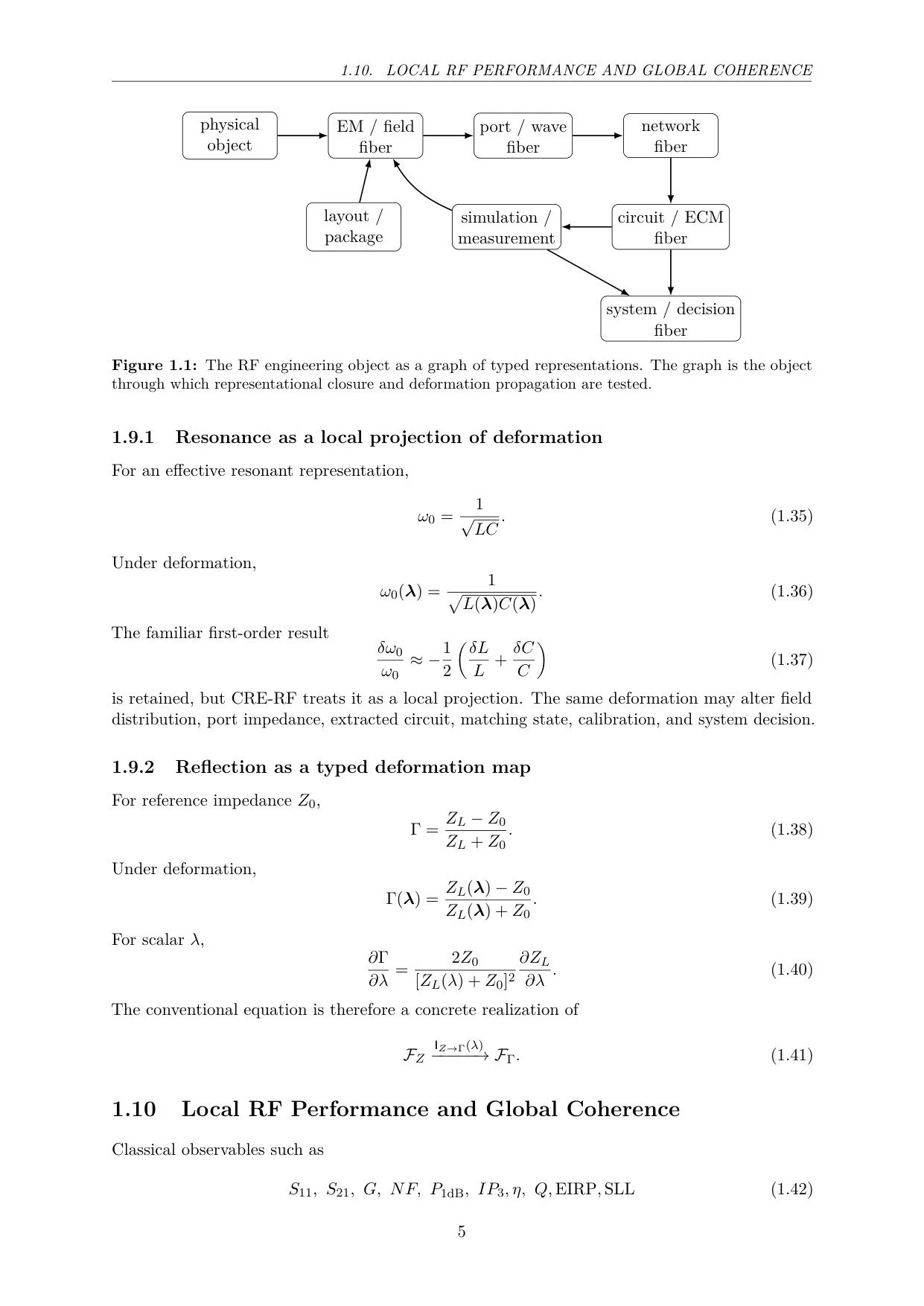
The engineering workflow itself becomes a graph.
A project can represent:
Engineering Objects → Connections → Transformations → Numerical Kernels → Results → Validation → Reports
Each element can retain its relationship to upstream and downstream objects.
This makes the project more than a visual diagram.
The graph becomes the executable engineering structure.
Graph Schema v2 provides the common project representation used across the EDFS 2026 R1 product family.
The schema supports typed engineering objects and relationships so that computational information can move through a project without losing its structural identity.
The Core environment provides the shared graph architecture on which RF, RF Advanced, and Research capabilities are subsequently layered.
This enables an EDFS project to move into a higher product tier without changing the fundamental project model.
EDFS represents engineering workflows through typed computational objects.
Nodes can represent:
engineering quantities
mathematical models
numerical kernels
data sources
transformations
computational stages
result objects
Ports define the expected inputs and outputs associated with an engineering object.
Fibers carry typed engineering information between compatible objects.
Together, these structures allow EDFS to distinguish an executable engineering graph from a generic node-and-line drawing environment.
EDFS Core uses registered numerical kernels to execute graph operations.
A kernel associates an engineering operation with a defined numerical implementation and execution contract.
The execution architecture supports:
Python provides numerical execution, workflow orchestration, project processing, validation infrastructure, and approved engineering kernels.
GNU Octave is available for engineering workflows and reference calculations requiring Octave execution.
The dual-backend architecture provides a foundation for numerical workflows whose computational methods may originate in different engineering environments.
EDFS Core records computational execution as part of the engineering project.
A run is not treated merely as an ephemeral action.
The environment can retain information associated with:
graph state
selected numerical kernel
project inputs
execution status
outputs
validation state
provenance
generated engineering results
This establishes a deterministic engineering record that can be inspected and reused after execution.
EDFS Core provides structured result contracts rather than treating every numerical output as an unrelated file.
Results can remain associated with:
the computational node that produced them
the graph state
the numerical backend
project parameters
upstream dependencies
validation state
reporting objects
This creates the foundation for downstream analysis, visualization, replay, and documentation.
EDFS Core includes infrastructure for numerical validation and project replay.
The goal is to preserve the relationship between an engineering result and the project state that produced it.
A computational workflow can therefore be:
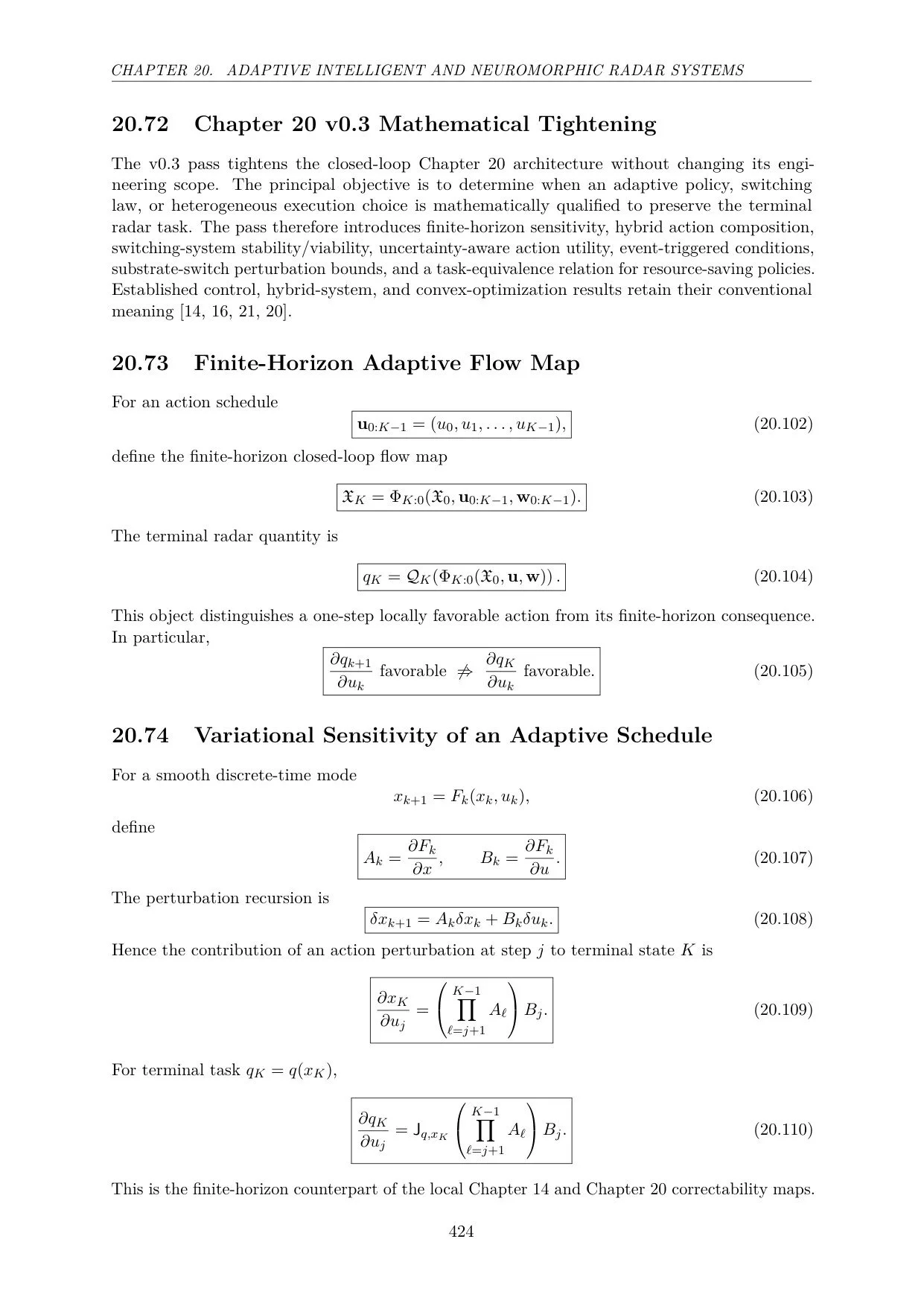
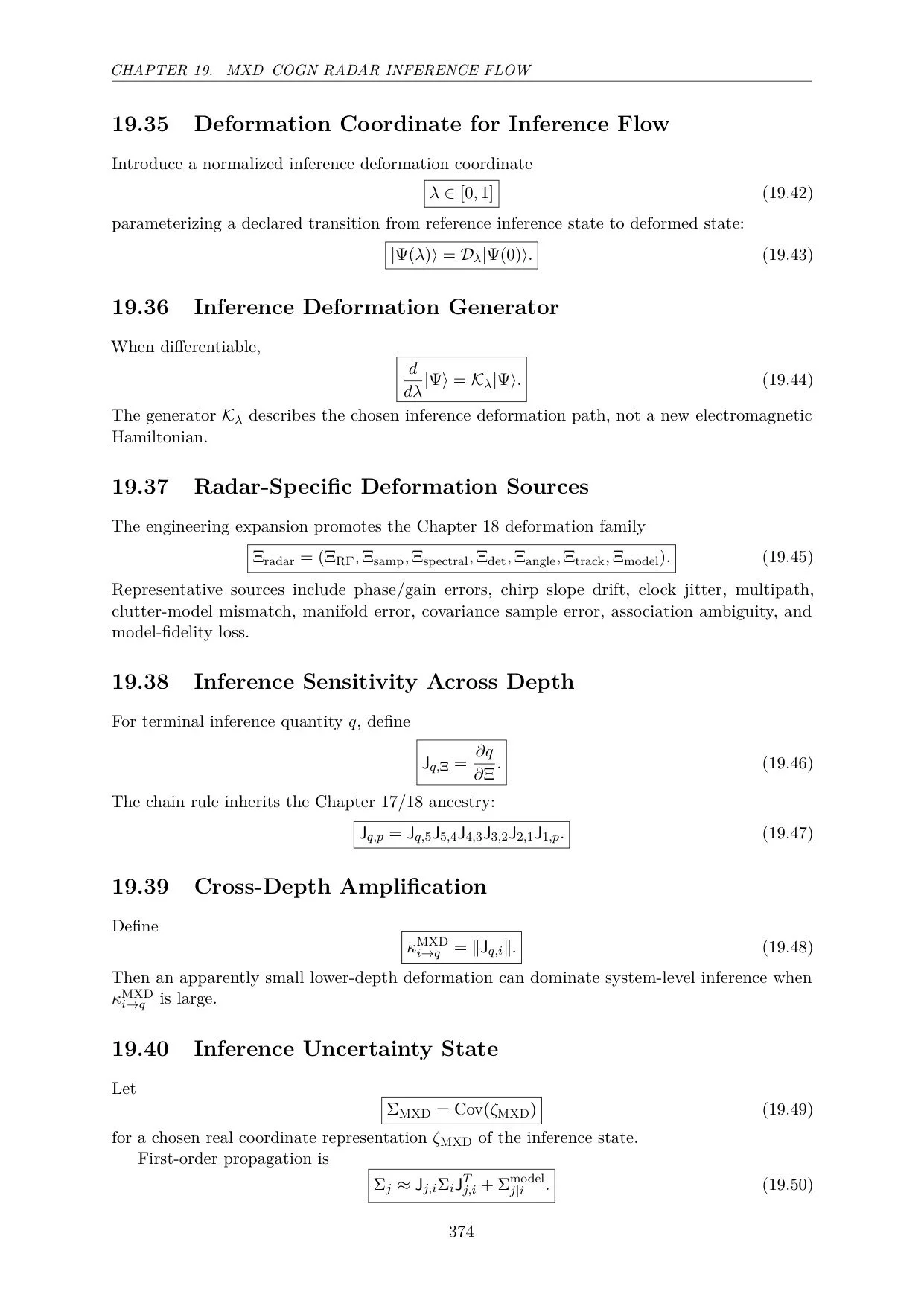
constructed → executed → validated → preserved → reopened → replayed → reported
rather than reconstructed manually from separate scripts and files.
This capability becomes increasingly important as projects become larger and involve multiple numerical methods or engineering domains.
EDFS Core provides engineering visualization within the same project environment.
The 2026 R1 architecture includes:
engineering plots
structured result visualization
Smith-domain views where applicable
project-linked result displays
Visualization is therefore connected to the underlying engineering state rather than existing only as an exported image.
EDFS Core integrates technical documentation into the computational workflow.
Supported reporting capabilities include:
Structured Engineering Results
LaTeX
Engineering reports can be generated from the project state and numerical results so that calculations and documentation remain connected.
The objective is reproducible engineering reporting rather than manual transcription of results into separate documents.
The EDFS Core qualification program includes reference CRE-RF numerical fixtures used to exercise the common graph and numerical architecture.
Reference workflows include engineering examples involving:
complex RF representation
impedance-to-reflection transformation
Smith / Möbius mappings
transmission-line propagation
reference-plane transport
These examples demonstrate the common EDFS graph, numerical, result, validation, and reporting mechanisms.
They also provide a bridge into the specialized RF workflows available in EDFS RF.
EDFS Core is not a separate lightweight application unrelated to the higher editions.
It is the common architecture beneath them.
Graph-native project, numerical execution, provenance, results, validation, and reporting foundation.
Adds specialized DFS-RF capabilities for professional RF/microwave engineering.
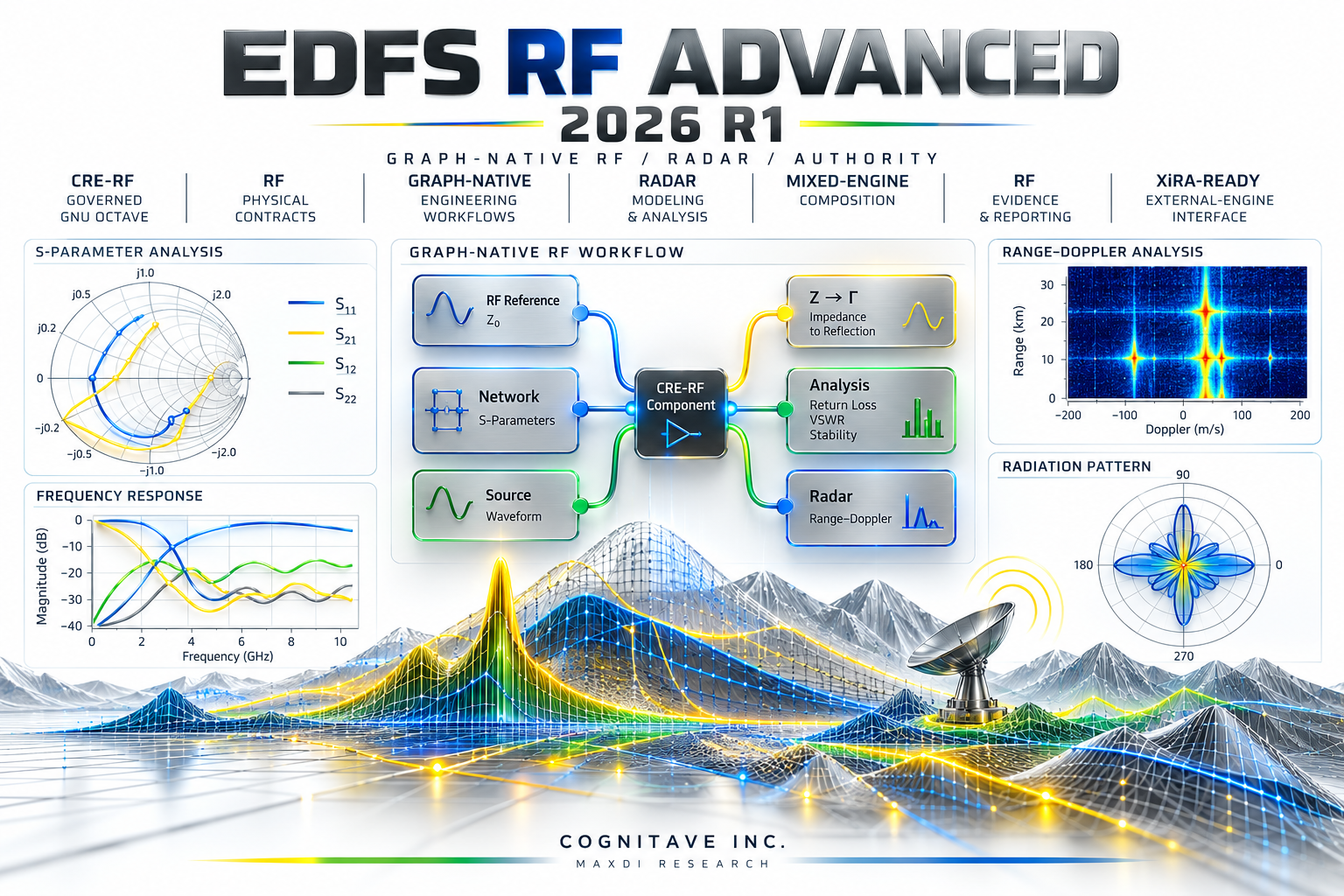
Adds governed computational authority, RF physical contracts, radar workflows, mixed-engine composition, and controlled XiRA-ready integration.
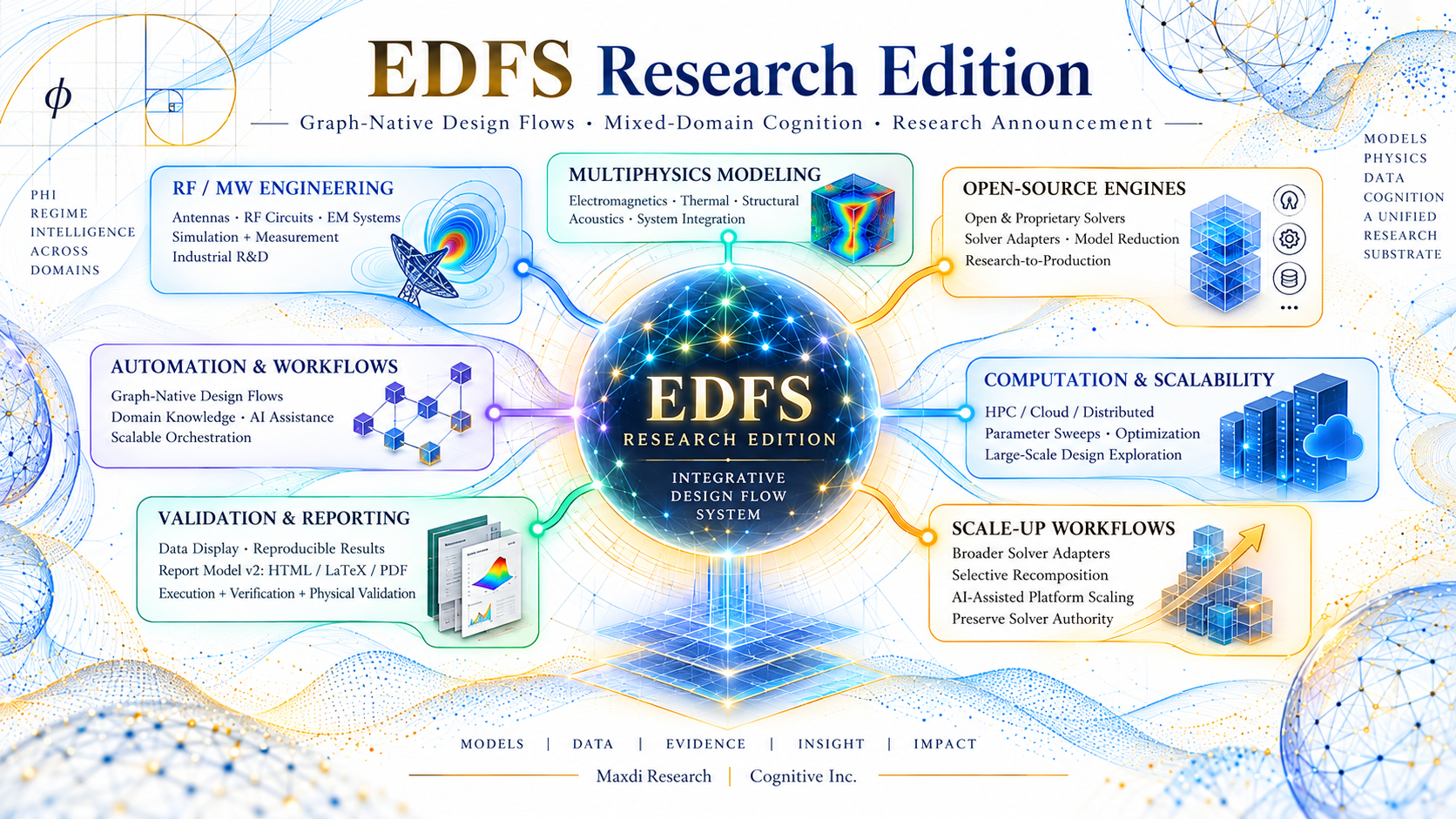
Extends the architecture toward higher experimental, mixed-domain, mixed-depth, inference, and research workflows.
The product family is cumulative.
Users can move upward in capability while remaining within the same underlying engineering project architecture.
A Core project follows the general sequence:
Create Project
↓
Construct Engineering Graph
↓
Add Nodes, Ports & Fibers
↓
Configure Parameters
↓
Assign Numerical Kernels
↓
Validate Graph
↓
Run
↓
Inspect Engineering Results
↓
Preserve Run State & Provenance
↓
Generate Technical Report
↓
Compile LaTeX / PDF
This creates a reusable computational engineering project rather than an isolated numerical run.
Build repeatable engineering workflows around connected models and numerical kernels.
Preserve computational structure, execution history, results, provenance, and technical reporting within one project.
Connect numerical operations and structured transformations through a persistent executable graph.
Use graph-native computational examples to connect mathematical operations with executable engineering workflows.
Develop structured engineering workflows in which computation, data, outputs, and reporting remain connected.
Begin with the common platform architecture before moving into the specialized RF, RF Advanced, or Research editions.
The current EDFS Core distribution is targeted first at:
Architecture: arm64
Installer: DMG
Release: 2026 R1
Python / NumPy and GNU Octave support the numerical execution environment.
Windows and Linux are planned under the common native-host architecture as future qualified platforms.
The Professional Single-User License includes:
EDFS Core 2026 R1 native desktop application
Graph Schema v2
project environment
graph editor
typed nodes, ports, and fibers
registered numerical kernels
Python / NumPy execution
GNU Octave integration
structured engineering results
deterministic run state
provenance tracking
numerical validation infrastructure
replay infrastructure
engineering visualization
reference engineering examples
LaTeX technical reporting
PDF report generation
product documentation
macOS Apple Silicon installer
12 months of updates within the 2026 R1 program
Graph-native engineering design-flow foundation
Projects · Graph Schema v2 · numerical kernels · Python / Octave · provenance · results · validation · replay · reporting
Professional RF/Microwave engineering
Core + DFS-RF · CRE-RF workflows · Touchstone · RF networks · RF Evidence · RF validation
Advanced RF, radar & governed computational engineering
Core + RF + governed authority · physical RF contracts · radar · mixed-engine composition · XiRA-ready integration
Higher experimental and research environment
Extended mixed-domain, mixed-depth, inference, radar, quantum, and experimental computational workflows.
EDFS Core 2026 R1 — Professional Single-User License
Perpetual single-user right to use the purchased 2026 R1 release, including 12 months of updates within the 2026 R1 program.
The standard license applies to one professional user.
Organization, laboratory, educational, server, integration, and other licensing arrangements may be offered separately.
Product: EDFS
Edition: Core
Release: 2026 R1
Product Type: Graph-Native Engineering Design Flow Software
Architecture: macOS Apple Silicon / arm64
Numerical Backends: Python / NumPy and GNU Octave
Installer: DMG
License: Professional Single-User
Price: $495
$495
Purchase includes the EDFS Core 2026 R1 native desktop application, Graph Schema v2 project environment, Python / GNU Octave numerical execution, reference engineering examples, technical reporting, and 12 months of R1 updates.
Purchase / Download
https://www.cognitave.com/ee-store/p/edfs-2026-r1-graph-native-engineering-design-flow-software
Installation Guide
Quick Start
Release Notes
Qualification Status
Reference Examples
Technical Documentation
EDFS Editions
https://www.cognitave.com/edfs-editions
EDFS / Maxdi Research
https://www.maxdi.com/system
Cognitave Inc.
https://www.cognitave.com/
Technical Inquiries
tex@cognitave.com
Research & Collaboration
mxd@maxdi.com
Professional Single-User License
Price: $495
EDFS Core 2026 R1 is the foundational edition of Electronics Design Flow Studio: a graph-native engineering environment for constructing, executing, validating, preserving, and reporting computational engineering workflows.
Core establishes the common project, graph, numerical-execution, provenance, results, validation, and reporting architecture used throughout the EDFS product family:
EDFS Core → EDFS RF → EDFS RF Advanced → EDFS Research
Rather than treating engineering work as a collection of disconnected scripts, files, calculations, and presentation diagrams, EDFS organizes computational engineering as a persistent executable graph.
Models, parameters, numerical kernels, transformations, results, validation state, provenance, and reports remain connected within one project environment.
EDFS Core establishes the shared execution foundation for the entire EDFS platform.
The 2026 R1 release includes:
graph-native engineering projects
Graph Schema v2
graph editor and project environment
typed engineering nodes
typed ports and fibers
engineering transformations
registered numerical kernels
Python / NumPy execution
GNU Octave integration
deterministic run records
engineering result contracts
provenance tracking
authority tracking
numerical validation infrastructure
project replay
structured engineering results
engineering plots
Smith-domain visualization support
LaTeX technical reporting
PDF report generation
native macOS desktop application
reference engineering examples
Traditional computational workflows often distribute engineering state across:
source files
scripts
solver inputs
numerical outputs
plots
reports
manually maintained notes
EDFS Core introduces a different organizational model.
The engineering workflow itself becomes a graph.
A project can represent:
Engineering Objects → Connections → Transformations → Numerical Kernels → Results → Validation → Reports
Each element can retain its relationship to upstream and downstream objects.
This makes the project more than a visual diagram.
The graph becomes the executable engineering structure.
Graph Schema v2 provides the common project representation used across the EDFS 2026 R1 product family.
The schema supports typed engineering objects and relationships so that computational information can move through a project without losing its structural identity.
The Core environment provides the shared graph architecture on which RF, RF Advanced, and Research capabilities are subsequently layered.
This enables an EDFS project to move into a higher product tier without changing the fundamental project model.
EDFS represents engineering workflows through typed computational objects.
Nodes can represent:
engineering quantities
mathematical models
numerical kernels
data sources
transformations
computational stages
result objects
Ports define the expected inputs and outputs associated with an engineering object.
Fibers carry typed engineering information between compatible objects.
Together, these structures allow EDFS to distinguish an executable engineering graph from a generic node-and-line drawing environment.
EDFS Core uses registered numerical kernels to execute graph operations.
A kernel associates an engineering operation with a defined numerical implementation and execution contract.
The execution architecture supports:
Python provides numerical execution, workflow orchestration, project processing, validation infrastructure, and approved engineering kernels.
GNU Octave is available for engineering workflows and reference calculations requiring Octave execution.
The dual-backend architecture provides a foundation for numerical workflows whose computational methods may originate in different engineering environments.
EDFS Core records computational execution as part of the engineering project.
A run is not treated merely as an ephemeral action.
The environment can retain information associated with:
graph state
selected numerical kernel
project inputs
execution status
outputs
validation state
provenance
generated engineering results
This establishes a deterministic engineering record that can be inspected and reused after execution.
EDFS Core provides structured result contracts rather than treating every numerical output as an unrelated file.
Results can remain associated with:
the computational node that produced them
the graph state
the numerical backend
project parameters
upstream dependencies
validation state
reporting objects
This creates the foundation for downstream analysis, visualization, replay, and documentation.
EDFS Core includes infrastructure for numerical validation and project replay.
The goal is to preserve the relationship between an engineering result and the project state that produced it.
A computational workflow can therefore be:
constructed → executed → validated → preserved → reopened → replayed → reported
rather than reconstructed manually from separate scripts and files.
This capability becomes increasingly important as projects become larger and involve multiple numerical methods or engineering domains.
EDFS Core provides engineering visualization within the same project environment.
The 2026 R1 architecture includes:
engineering plots
structured result visualization
Smith-domain views where applicable
project-linked result displays
Visualization is therefore connected to the underlying engineering state rather than existing only as an exported image.
EDFS Core integrates technical documentation into the computational workflow.
Supported reporting capabilities include:
Structured Engineering Results
LaTeX
Engineering reports can be generated from the project state and numerical results so that calculations and documentation remain connected.
The objective is reproducible engineering reporting rather than manual transcription of results into separate documents.
The EDFS Core qualification program includes reference CRE-RF numerical fixtures used to exercise the common graph and numerical architecture.
Reference workflows include engineering examples involving:
complex RF representation
impedance-to-reflection transformation
Smith / Möbius mappings
transmission-line propagation
reference-plane transport
These examples demonstrate the common EDFS graph, numerical, result, validation, and reporting mechanisms.
They also provide a bridge into the specialized RF workflows available in EDFS RF.
EDFS Core is not a separate lightweight application unrelated to the higher editions.
It is the common architecture beneath them.
Graph-native project, numerical execution, provenance, results, validation, and reporting foundation.
Adds specialized DFS-RF capabilities for professional RF/microwave engineering.
Adds governed computational authority, RF physical contracts, radar workflows, mixed-engine composition, and controlled XiRA-ready integration.
Extends the architecture toward higher experimental, mixed-domain, mixed-depth, inference, and research workflows.
The product family is cumulative.
Users can move upward in capability while remaining within the same underlying engineering project architecture.
A Core project follows the general sequence:
Create Project
↓
Construct Engineering Graph
↓
Add Nodes, Ports & Fibers
↓
Configure Parameters
↓
Assign Numerical Kernels
↓
Validate Graph
↓
Run
↓
Inspect Engineering Results
↓
Preserve Run State & Provenance
↓
Generate Technical Report
↓
Compile LaTeX / PDF
This creates a reusable computational engineering project rather than an isolated numerical run.
Build repeatable engineering workflows around connected models and numerical kernels.
Preserve computational structure, execution history, results, provenance, and technical reporting within one project.
Connect numerical operations and structured transformations through a persistent executable graph.
Use graph-native computational examples to connect mathematical operations with executable engineering workflows.
Develop structured engineering workflows in which computation, data, outputs, and reporting remain connected.
Begin with the common platform architecture before moving into the specialized RF, RF Advanced, or Research editions.
The current EDFS Core distribution is targeted first at:
Architecture: arm64
Installer: DMG
Release: 2026 R1
Python / NumPy and GNU Octave support the numerical execution environment.
Windows and Linux are planned under the common native-host architecture as future qualified platforms.
The Professional Single-User License includes:
EDFS Core 2026 R1 native desktop application
Graph Schema v2
project environment
graph editor
typed nodes, ports, and fibers
registered numerical kernels
Python / NumPy execution
GNU Octave integration
structured engineering results
deterministic run state
provenance tracking
numerical validation infrastructure
replay infrastructure
engineering visualization
reference engineering examples
LaTeX technical reporting
PDF report generation
product documentation
macOS Apple Silicon installer
12 months of updates within the 2026 R1 program
Graph-native engineering design-flow foundation
Projects · Graph Schema v2 · numerical kernels · Python / Octave · provenance · results · validation · replay · reporting
Professional RF/Microwave engineering
Core + DFS-RF · CRE-RF workflows · Touchstone · RF networks · RF Evidence · RF validation
Advanced RF, radar & governed computational engineering
Core + RF + governed authority · physical RF contracts · radar · mixed-engine composition · XiRA-ready integration
Higher experimental and research environment
Extended mixed-domain, mixed-depth, inference, radar, quantum, and experimental computational workflows.
EDFS Core 2026 R1 — Professional Single-User License
Perpetual single-user right to use the purchased 2026 R1 release, including 12 months of updates within the 2026 R1 program.
The standard license applies to one professional user.
Organization, laboratory, educational, server, integration, and other licensing arrangements may be offered separately.
Product: EDFS
Edition: Core
Release: 2026 R1
Product Type: Graph-Native Engineering Design Flow Software
Architecture: macOS Apple Silicon / arm64
Numerical Backends: Python / NumPy and GNU Octave
Installer: DMG
License: Professional Single-User
Price: $495
$495
Purchase includes the EDFS Core 2026 R1 native desktop application, Graph Schema v2 project environment, Python / GNU Octave numerical execution, reference engineering examples, technical reporting, and 12 months of R1 updates.
Purchase / Download
https://www.cognitave.com/ee-store/p/edfs-2026-r1-graph-native-engineering-design-flow-software
Installation Guide
Quick Start
Release Notes
Qualification Status
Reference Examples
Technical Documentation
EDFS Editions
https://www.cognitave.com/edfs-editions
EDFS / Maxdi Research
https://www.maxdi.com/system
Cognitave Inc.
https://www.cognitave.com/
Technical Inquiries
tex@cognitave.com
Research & Collaboration
mxd@maxdi.com